Selfhosted event calendar Selfhost the whole thing. Nothing is held back

Run Event Schedule on your own infrastructure and every Pro and Enterprise feature is included, free. No platform fees, no seat counts, no data leaving your server.

Type a domain and every screen below is drawn at that address.

Watch it come up

A shared cPanel host, a Docker stack or a plain zip on your own box. The zip finishes in the setup wizard; Docker skips it, because Compose sets up the database. These are the real commands, the wizard's own fields and a real admin screen, with only the waiting cut out.

Softaculous: One click, no terminal

your-domain.com : installer.log
1Open cPanel and find Event Schedule in Softaculous
2Choose your domain and directory, then Install
3Database created, environment configured, migrations run
No command line needed

Available on most cPanel hosts. The installer creates the database, writes the configuration and runs the migrations for you.

Open in Softaculous

Docker: Containerised, on any VPS

your-domain.com : bash
$git clone https://github.com/eventschedule/dockerfiles
$cd dockerfiles
$docker compose run --rm app php artisan key:generate --show
 # paste the key it prints into APP_KEY in .env
$docker compose up --build -d
 # then open http://localhost:8080
Stack running

Bring up the Compose stack from the dockerfiles repo. The first build takes a few minutes while dependencies install and assets compile.

View the Docker setup

Manual: Full control, any host

your-domain.com : bash
$cd /var/www
$unzip eventschedule.zip
$cp .env.example .env
$chmod -R 755 storage
$chown -R www-data:www-data storage bootstrap public .env
 # leave APP_URL blank, then open your domain
Setup wizard ready

Download the latest release and point your web server at the public directory. Leave APP_URL blank and the browser wizard does the rest.

Read the full guide

The setup wizard

your-domain.com/sign_up

The wizard asks for five database values (MySQL Host, Port, Database, Username and Password) and tests them. Once the connection succeeds it asks for your email, full name and a password, then runs the migrations and writes the configuration.

The cron entry

your-domain.com : crontab
$crontab -e
+* * * * * php /path/to/eventschedule/artisan schedule:run
 # reminder emails, calendar sync and expiring ticket reservations run from this line
 # on cPanel, add it under Cron Jobs instead of the command line

One line, once. This is the step the software cannot do for you. Without it, everything that happens on a timer stops.

Yours to run

It is running

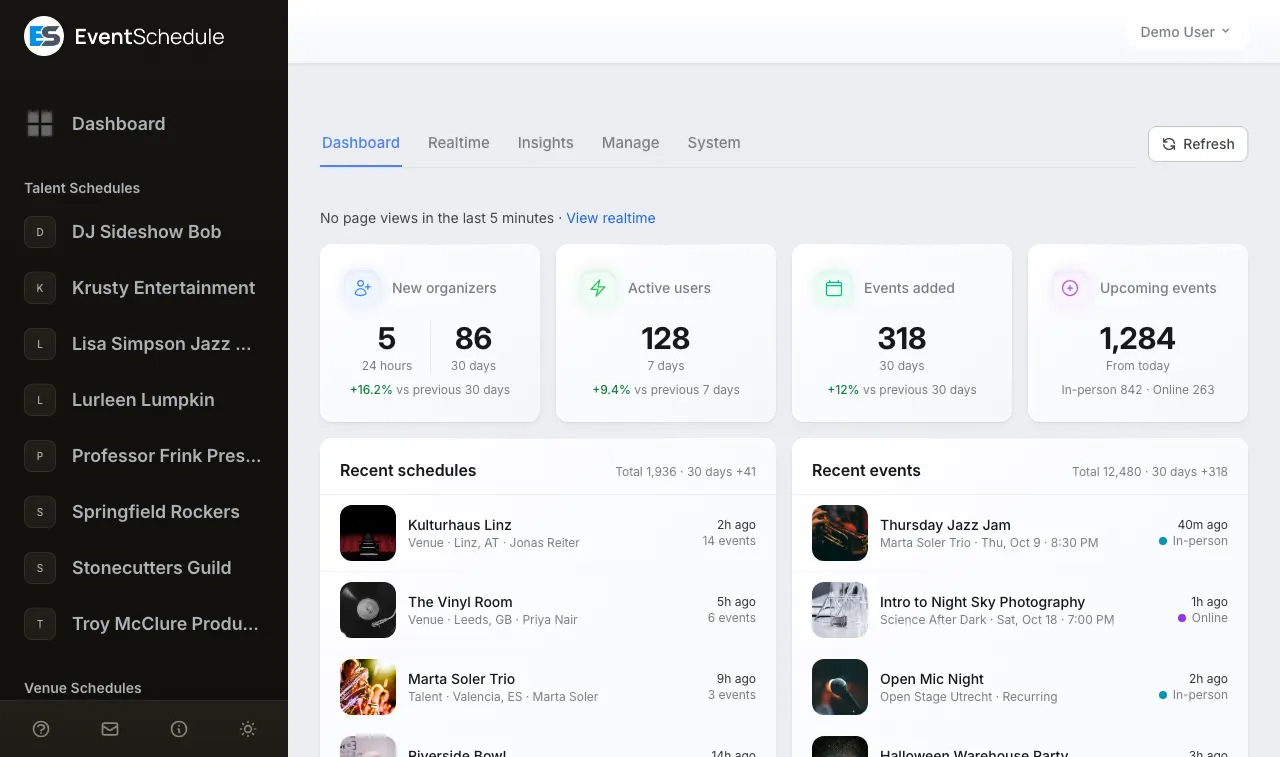
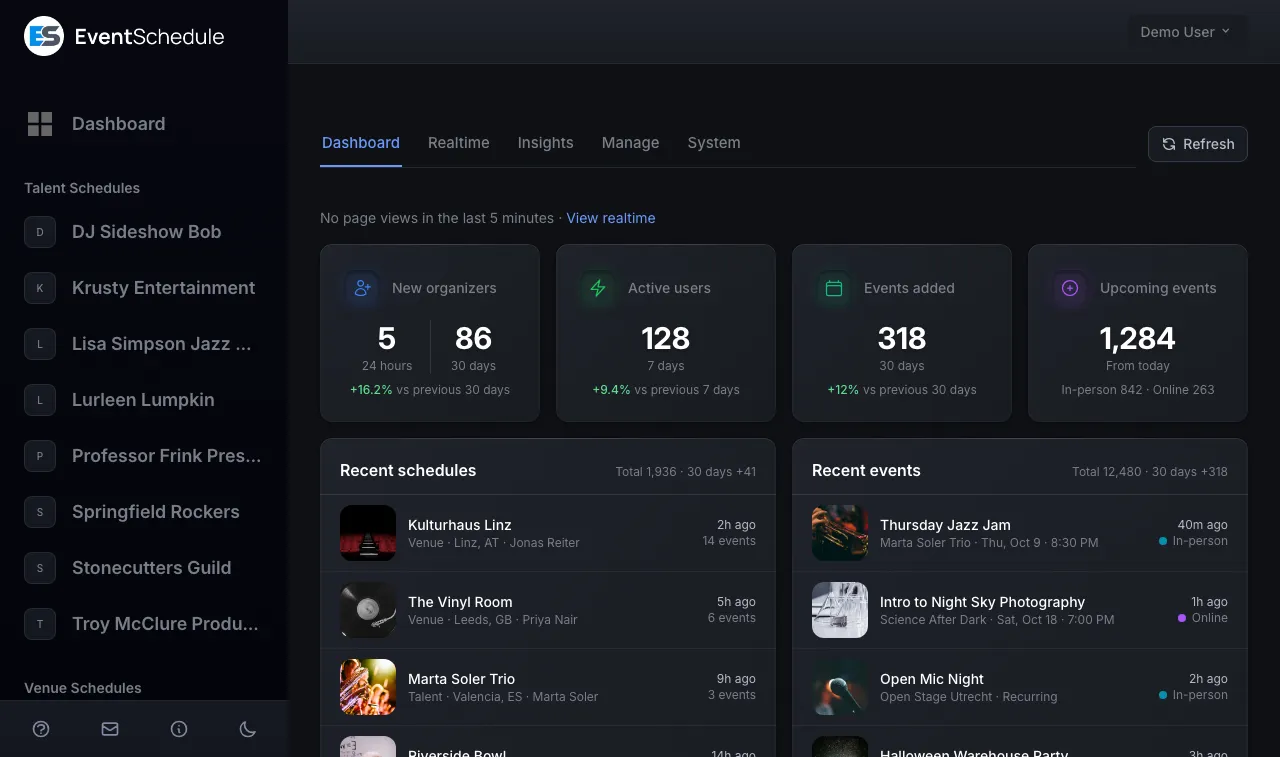
your-domain.com/admin/dashboard running
The admin dashboard of a selfhosted install: the newest schedules and events, sign-ups, active users and upcoming events. The admin dashboard of a selfhosted install: the newest schedules and events, sign-ups, active users and upcoming events.

The admin screen is from the user guide, with demo data in it.

Most shared hosts already pass
PHP
8.2 or newer
Database
MySQL 5.7+ or MariaDB 10.3+
Web server
Apache or Nginx with rewrites
SSL
Required, HTTPS only
PHP extensions:
  • BCMath
  • Ctype
  • Fileinfo
  • Intl
  • JSON
  • Mbstring
  • OpenSSL
  • PDO (MySQL)
  • MySQLi
  • Tokenizer
  • XML
  • cURL
  • GD
  • Zip

Where should a selfhosted event calendar run?

Three kinds of server run it well. Pick the one you already know how to look after: the cheapest box is no bargain if nobody notices its cron job stopped.

Least to look after

A shared host with cPanel

The hosting account you may already pay for, with PHP and MySQL included. The release zip ships with its dependencies installed and its assets built, so the server needs no Composer and no Node.

  • Install with Softaculous in one click, or upload the zip and set the document root to its public directory.
  • Add the every-minute job under Cron Jobs. A host that will not run one that often can be driven over HTTP instead: set APP_CRON_SECRET and have an outside cron service request /translate_data?secret=... once a minute.
  • Check the host's limits. The release asks PHP for 5 MB image uploads and 90 seconds a request in public/.user.ini; under Apache with mod_php that file is ignored and php.ini decides.

Suits: One venue, club or festival that wants its own calendar at its own address, and nobody whose job is a server.

Open it in Softaculous
Most control

Your own VPS

A small Linux server where you install PHP, MySQL or MariaDB and Apache or Nginx yourself, then follow the Manual tab above. Every setting is in reach, and so is every chore.

  • One crontab line runs the scheduler. The queue ships as sync, so mail and webhooks go out inside the request and there is no worker to babysit.
  • The web-server user needs to write to storage, bootstrap, public and the .env file, and nothing else. Locked down like that, the Update button cannot replace the app's files, so you update with sudo php artisan app:update and hand storage back afterwards.
  • Put a certificate on the domain before you open the wizard. Session cookies are secure-only, so over plain HTTP the wizard's Sign Up answers Page Expired and a login never sticks.

Suits: Someone who already looks after a Linux server, or wants the install beside other sites on one.

Read the installation guide
Nothing on the host but Docker

Docker Compose

The dockerfiles repository builds the app and starts four containers: PHP-FPM, Nginx on port 8080, MariaDB 11 and a scheduler that stands in for the cron entry. There is no setup wizard: you go straight to creating your account.

  • Needs Docker Engine 24 or newer with the Compose v2 plugin, and a reverse proxy for HTTPS in front of port 8080 (Caddy, Nginx Proxy Manager, Traefik or SWAG).
  • Fix APP_KEY in .env before the first start. The image makes a new key on every build, which signs everybody out and leaves saved credentials unreadable.
  • Updating is a rebuild: git pull, docker compose build --no-cache, docker compose up -d. Not the Update button, whose changes the next container throws away. Set APP_REF to a release tag to stay on a release.

Suits: Anyone who already runs other services in containers and wants this one to look the same.

Read the Docker guide

Whichever you pick, the database is MySQL 5.7 or newer, or MariaDB 10.3 or newer. It is the only database the app runs on, so a host that offers only PostgreSQL or SQLite will not do.

Every Pro and Enterprise feature. Free.

There is no selfhosted tier to upgrade from. A selfhosted install is treated as Enterprise everywhere in the code, so nothing on this page is behind a paywall. Turn the dial and see what each plan lights up.

What it costs
$0 a month $5 a month $15 a month $0 foreverinstead of $15 a month
Features lit
21 of 68 52 of 68 66 of 68 68 of 68
Newsletter emails a month
10 100 1,000 No limit
Team members
1 1 Up to 5 No limit

Two things change shape rather than carrying over. A hosted schedule can have a custom domain of its own, and your install already stands on a domain you chose. And white label here keeps one small licence credit, which is the whole of what the software asks.

0%Platform fees on ticketsWe never take a cut, on any plan

13Languages built inYour guest pages, translated

See the full feature list

Two features exist only here

The hosted service has neither. On your own server both are part of the install, and one of them is how the install stays current.

Selfhost only

Auto import from the web

Point Event Schedule at a list of URLs and AI pulls the events in once a day, keeping only the cities you name. It checks each site's robots.txt first.

Auto import
Import URLs
thevenue.com/gigs
jazzclub.example/calendar
Import Cities
LeedsYork
  • EventFriday Night Jazz
  • DateFri 14 Aug, 8:00 PM
  • VenueThe Blue Room, Leeds

The Auto import row of the schedule form's Integrations tab, with example addresses and an example result in it.

Selfhost only

Updates are one click, not one afternoon

When a release lands, a notice appears in your admin panel. Click it and the update applies in seconds, migrations included. No SSH session, no maintenance window.

v1.0.142v1.0.143Installed Version
v1.0.143Latest Version
2 minutes agojust nowLast Checked
App Update Update availableYou're up to date!
This downloads the new release, installs it and runs any new database migrations. Take a backup first.
Release installed, migrations run. That was the whole update.
Go on, press it.

The App Update screen, with the installed version live from this release. The real button asks before it runs.

The control room is yours too

Whoever runs the install gets an operator's panel at /admin. The stage above ended on its dashboard. These are three more of its real screens, taken from the user guide.

Try it before you install anythingBoth halves of what you will be running: the admin portal you manage events in, and the public calendar your attendees see.

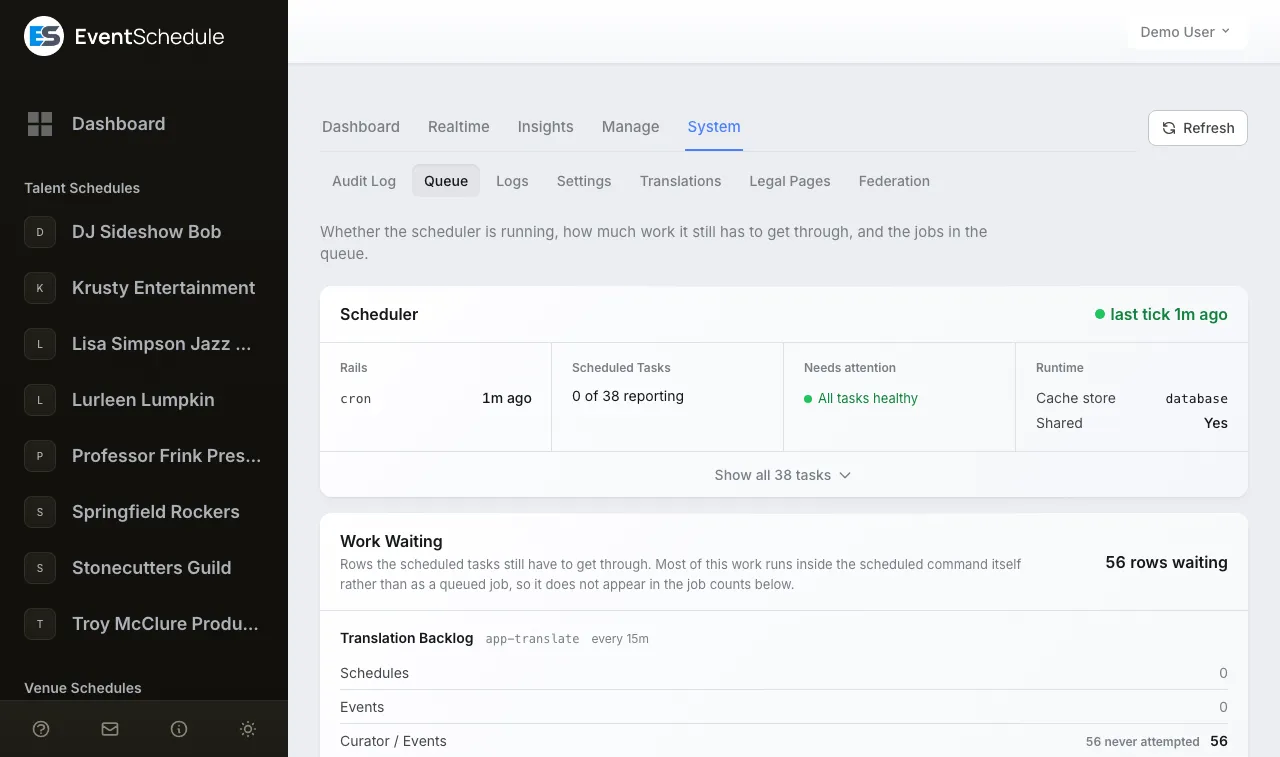
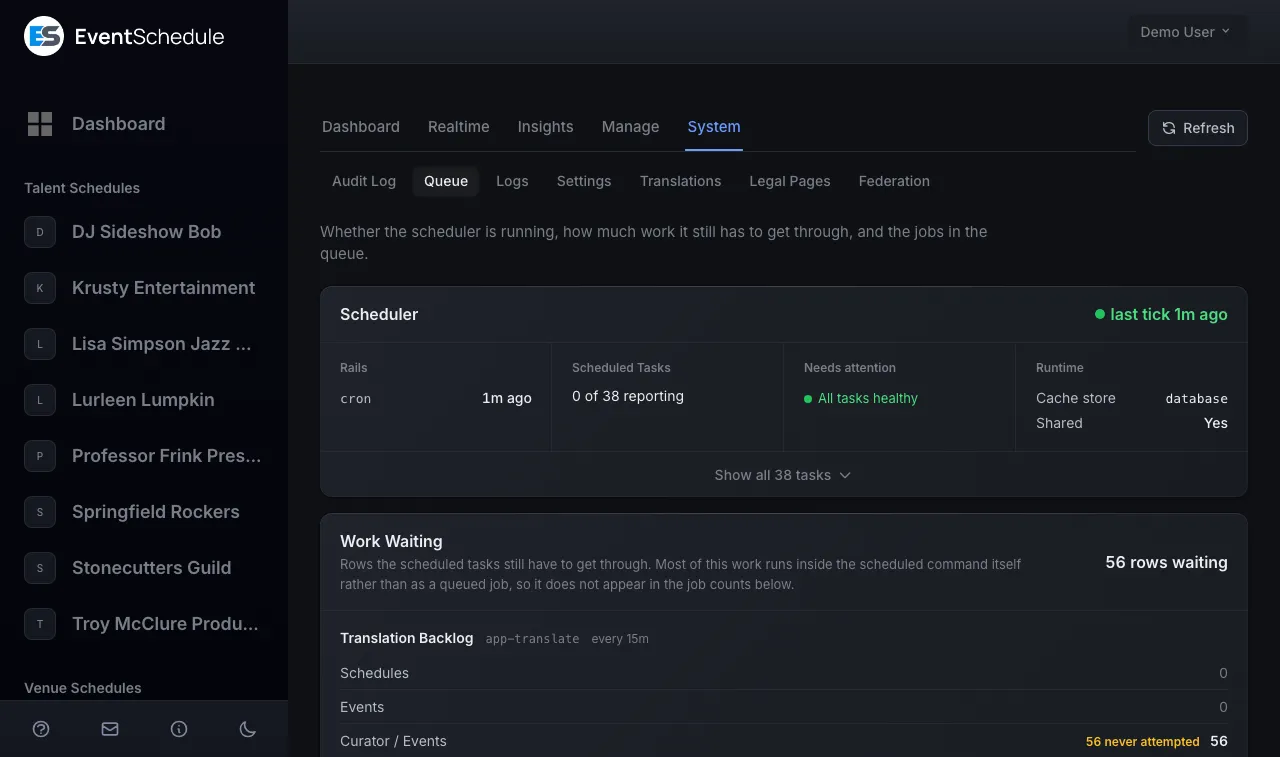
your-domain.com/admin/queue
The Queue screen: a Scheduler card reading last tick 1 minute ago, and the work waiting. The Queue screen: a Scheduler card reading last tick 1 minute ago, and the work waiting.

Whether the scheduler is running, how much work it still has to get through, and the jobs in the queue. This is where you see your cron entry tick.

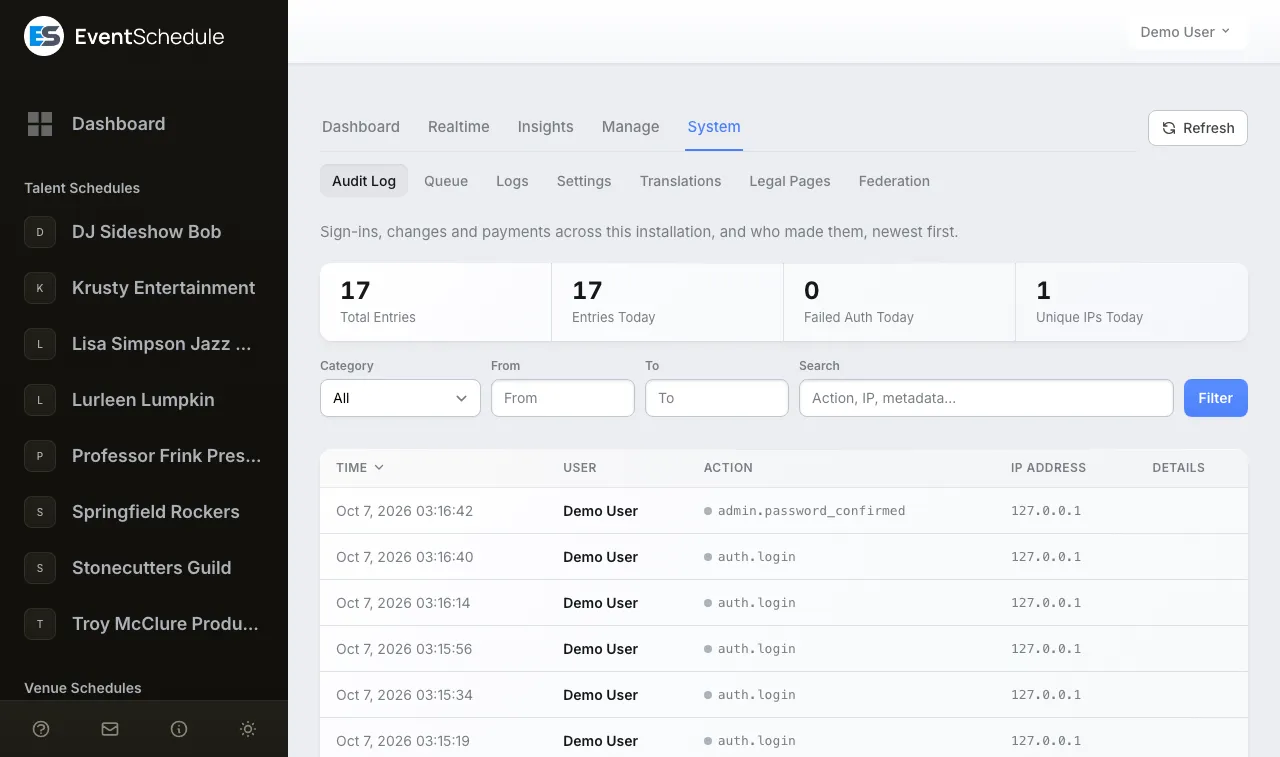
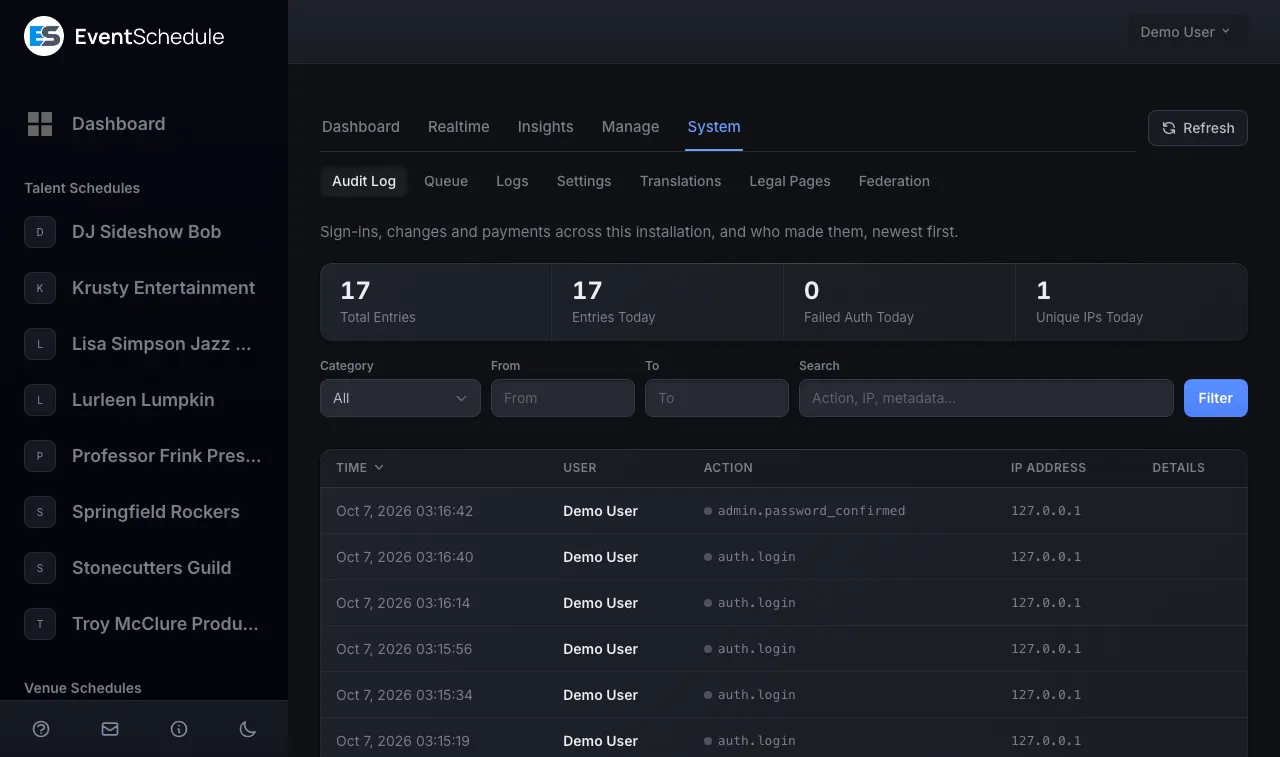
your-domain.com/admin/audit-log
The Audit Log screen: totals, filters and a table of sign-ins by time, user, action and IP address. The Audit Log screen: totals, filters and a table of sign-ins by time, user, action and IP address.

Sign-ins, changes and payments across the installation, and who made them, newest first.

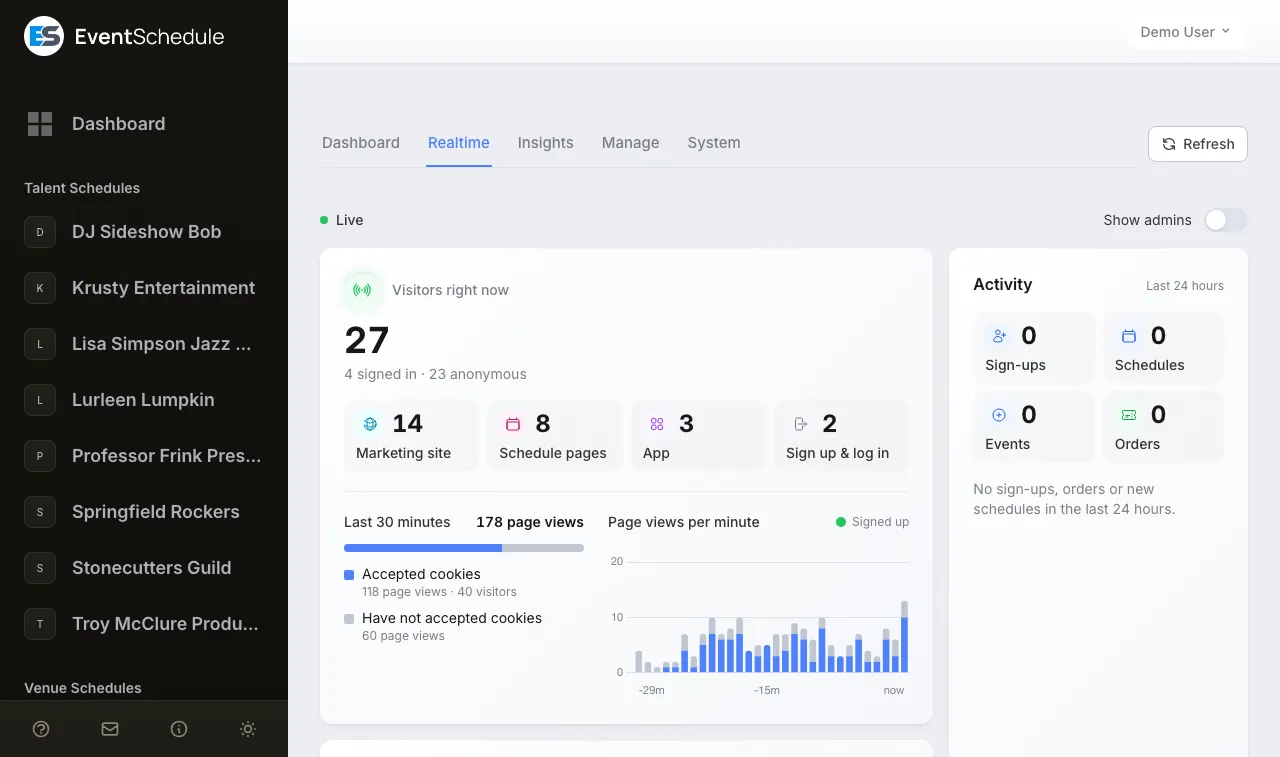
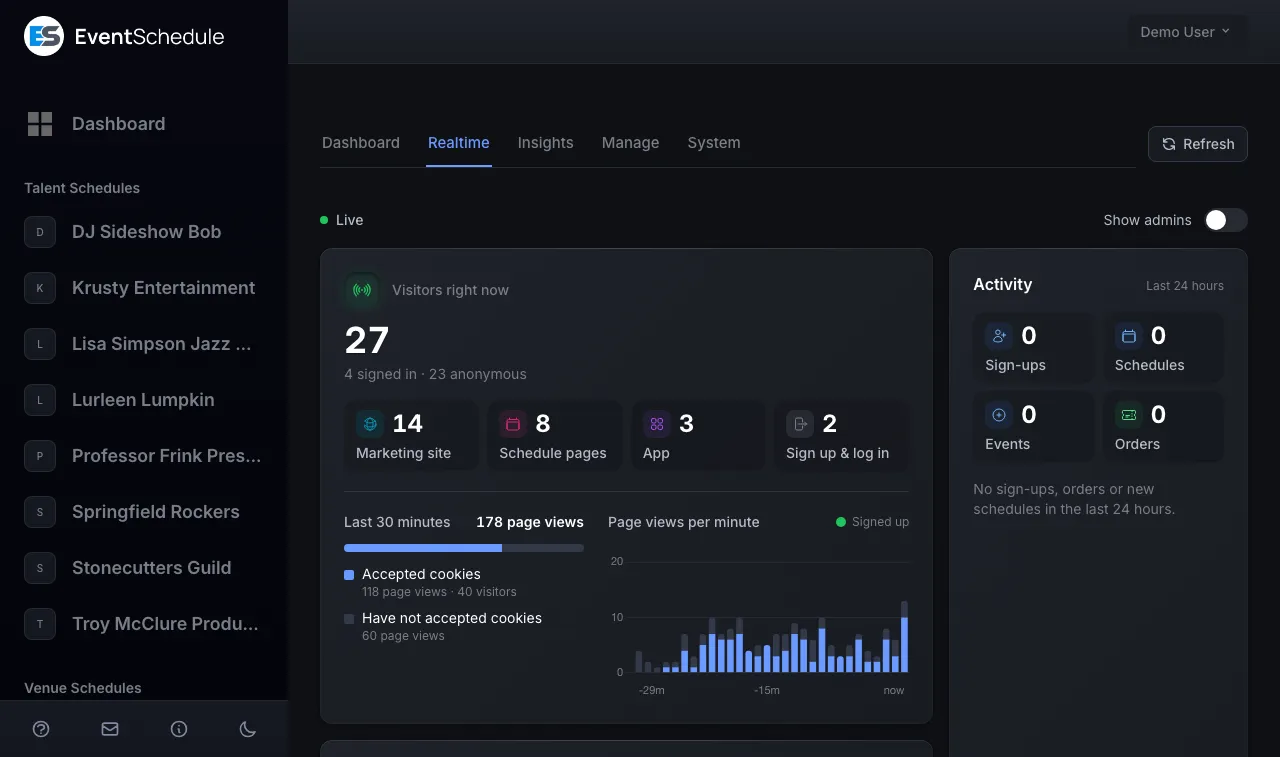
your-domain.com/admin/dashboard
The live view at the top of the dashboard: visitors right now, where they are, and page views per minute. The live view at the top of the dashboard: visitors right now, where they are, and page views per minute.

The top of the dashboard: who is on your install right now and the page views by the minute. Off until you switch it on in Settings.

The data is yours, and so is the upkeep

Nothing is shipped anywhere by default. Here is exactly what stays with you, what you can choose to share, and what you are on the hook for.

It never leaves your server

Your events, attendees, ticket sales and follower emails live in your database. Event Schedule cannot access, modify or remove selfhosted data, because there is no connection back to us to do it with.

  • Your database, your backups, your retention rules
  • Stripe and PayPal payments land in your own accounts
  • Your own Gemini or OpenAI key for the AI features
  • No telemetry, no phone-home, no usage reporting

Two optional features can send data to eventschedule.com. Both start off.

  • FederationYour public events, once an admin switches it on.off
  • Translation sharingWording you corrected, when an admin presses Share.off
Opt in, off by default

Or share out, on your terms

Federation is a bridge that carries your events to eventschedule.com, and it only exists if an admin switches it on. Your public events appear in the main listings, and every listing links back to the event on your own site.

FederationA demonstration. Flip it to see what would be shared.

Off. Nothing is sent, and nothing about your install is listed anywhere. On. Once eventschedule.com has approved your install, public events of the schedules that said yes are listed, and every listing links back to your site.

  • Only public events, never drafts, internal or unlisted ones
  • Enabled by an admin at /admin/settings, never automatically
  • Each schedule is listed only if someone who manages it says yes

Read the federation guide

Yours to run

Six things nobody does for you

Selfhosting means you are the operator. It is not much, but it is honest to say it out loud. Tick what you already have covered.

0 of 6 covered

Not all six yet? The hosted version is free to start, and backup and restore is built in for the day you move.

All six covered. You are ready to run it yourself.

Try hosted Install it

Running it in year two, not just day one

The install takes an afternoon. Whether people still trust the calendar a year later comes down to updates, backups and a handful of settings. Here is what each one involves on this app.

Updates

What the Update button checks

Once a day the scheduler asks GitHub for the latest release, and Settings > App Update shows it beside your installed version. Update downloads it, replaces the app's files, runs any new migrations and clears the cached config, routes and views.

  • It reads which PHP the new release needs, and stops before changing a single file if the web server's PHP, or the command-line PHP your cron job runs on, is older. Upgrade both, then update again.
  • It also stops untouched when the web-server user cannot write every file of the app. Run sudo php artisan app:update on the server then. The command has no time limit, so it is also the way past an update that outruns PHP's max_execution_time.
  • Everything under storage/app, uploads and custom translations included, survives. The vendor directory is replaced, so a package you added with Composer is gone.
Backups

Three things, kept off the server

Nothing backs up a selfhosted install for you. Copy all three before every update and on a timer of your own, and keep them somewhere other than the server they came from.

  • The database, with mysqldump (or mariadb-dump inside the Docker stack).
  • The storage directory, where uploaded flyers, logos and photos live.
  • The .env file. It holds APP_KEY, and a database restored without its key cannot read the payment and mail credentials saved in it.
  • Per schedule, Settings > Backup & Restore exports a .zip, images optional, and imports it as a new schedule. It is the tool for moving one schedule; for a whole install, use the database dump.
Security

Settings worth checking on day one

Most of these are one line in .env or the web server's config. Each closes a gap that a default or a hurried install leaves open.

  • Run a current PHP patch release. The installation guide lists the versions that fix the PHP2Shell flaws.
  • Point the document root at public, not the install folder. Set one level too high, the app also answers on /public/ and tickets carry two different QR addresses.
  • Behind a proxy or Cloudflare, set TRUSTED_PROXIES. Without it the app sees plain HTTP, which can loop redirects, and logs the proxy's address as every visitor's.
  • Leave sign-up closed. After the first account it sends people to the login page; ALLOW_REGISTRATION=true lets anyone who registers create schedules on your server.
  • Add both Cloudflare Turnstile keys to put a challenge in front of sign-in, checkout, bookings and guest submissions. With one key missing, the challenge is skipped without a warning.
After an install or an update

Four checks that prove it is healthy

An install missing its cron entry or its mail settings looks fine in a browser. These four take five minutes and catch both.

  1. Run php artisan schedule:run by hand. It lists what it ran, and any error it prints is one cron would have hit in silence.
  2. Open the admin panel's Queue screen and look for the Scheduler card's last tick, a minute or two old.
  3. Buy or register for a test event with your own address. MAIL_MAILER ships as log, so a missing confirmation usually means mail was never set up.
  4. Open the test event's public page and check its images load. If they do not, the public/storage link is missing: fix the ownership and run php artisan storage:link.

Creating the first account means accepting the selfhosting terms: the software comes as is, the data and your customers are yours to look after, and Event Schedule cannot reach into your server to recover anything.

Read the selfhosting terms

Should you actually selfhost?

Honestly, most people should not. Selfhosting earns its keep when the data has to live on your own infrastructure, or when you are building something on top of it.

Start here, for now

Hosted

Under five minutes
Setup
We have it running before you finish your coffee
Infrastructure
We run the servers, backups and updates
Updates
Automatic, you never think about it
Features
Free, Pro at $5/mo or Enterprise at $15/mo
Your data
Hosted by us, exportable at any time
Support
Email support, priority on Enterprise

Right for almost everyone. Start here unless you have a reason not to.

You are here By your own count

Selfhosted

An afternoon
Setup
One-click installer, Docker, or a zip and a wizard
Infrastructure
Your server, your SSL, your cron, your backups
Updates
One click in your admin panel, when you choose
Features
Every Pro and Enterprise feature, included
Your data
Entirely on your own infrastructure
Support
GitHub issues

Right when the data has to be yours, or you are building on top of it.

0 of 6 covered

Tick the six above and the mark moves. Not sure? The hosted version is free to start. By your own count: start hosted, and move over when the rest is covered. By your own count, you are ready to selfhost.

Compare plans Try hosted

Or turn it into your own product

The same install runs in multi-tenant mode. Give every customer a subdomain, set your own prices and bill them through your Stripe account, where only Stripe's own fee comes off.

  • Multi-tenant subdomains built in
  • Stripe subscription billing at your own prices
  • White-label branding, bar one small licence credit
  • No licence fee and no revenue share
IS_HOSTED=falsetrue

One install, one operator: every schedule lives at your address. One install, many customers: each on a subdomain of yours, on a plan you priced.

Read it, change it, fork it

Event Schedule is open source under the Attribution Assurance License. Inspect the code, send a pull request, or take it in your own direction. The AAL asks only that the original attribution stays in place.

Before you ask

Frequently asked questions

Everything people ask before they install.

Is Event Schedule really free to selfhost?

Yes. Event Schedule is open source under the Attribution Assurance License. There is no licence fee, no per-event charge and no platform fee on ticket sales. Your only costs are the server and the processing fees your payment provider charges.

Do I get the paid features when I selfhost?

A selfhosted install is treated as Enterprise throughout the code, so ticketing, team members, the API, AI generation and everything else are included at no cost. Two features, auto import from URLs and one-click app updates, exist only on selfhosted installs. Per-schedule custom domains are the one thing that does not carry over, because they belong to hosted mode and your install already runs on a domain you chose.

What do I need on the server?

PHP 8.2 or newer on a current patch release, with the BCMath, Ctype, Fileinfo, Intl, JSON, Mbstring, OpenSSL, PDO (MySQL), MySQLi, Tokenizer, XML, cURL, GD and Zip extensions. MySQL 5.7+ or MariaDB 10.3+, Apache or Nginx with rewrites and the document root on the public directory, an SSL certificate, and a way to run one command every minute. Most shared hosts already meet this. Composer and Node are not needed, because the release zip ships with its dependencies installed.

Can I use PostgreSQL or SQLite instead of MySQL?

No. MySQL 5.7 or newer, or MariaDB 10.3 or newer, is the only database Event Schedule runs on. The setup wizard asks only for a MySQL connection, and the Docker stack brings its own MariaDB 11.

Can I run Event Schedule with Docker?

Yes. The eventschedule/dockerfiles repository runs it with Docker Compose in four containers: the app on PHP-FPM, Nginx on port 8080, MariaDB 11 and a scheduler that replaces the cron entry. You need Docker Engine 24 or newer with Compose v2, and a reverse proxy such as Caddy or Traefik for HTTPS. Set a fixed APP_KEY in .env before the first start, and update by rebuilding the image rather than with the in-app Update button.

How do I back up a selfhosted install?

Back up three things: the database (mysqldump, or mariadb-dump in the Docker stack), the storage directory with the uploaded images, and the .env file, whose APP_KEY is needed to read the credentials saved in the database. Nothing does this for you, so put it on a timer and keep the copies off the server. To move a single schedule, Settings > Backup & Restore exports it as a .zip and imports it as a new schedule on any install.

What are the selfhosting terms?

Two things govern a selfhosted install. The code is under the Attribution Assurance License, which asks that the original attribution stays in place. The selfhosting terms, which you accept when you create the first account, cover your relationship with Event Schedule: you take the software as is, you own your data and are responsible for it, and you support your own customers. Event Schedule cannot access, change or remove data on your server.

Can I install it on shared hosting?

Yes. If your host offers Softaculous, Event Schedule installs in one click with the database and configuration set up for you. Otherwise upload the release zip and point your document root at the public directory.

How do updates work?

Once a day the scheduler asks GitHub for the latest release, and Settings > App Update shows it beside your installed version. One click downloads it, replaces the files and runs the database migrations, with no terminal needed. Before it changes anything it checks that your PHP is new enough for that release and that the web-server user can write every file of the app; if either fails, nothing is touched and the screen says why, and php artisan app:update on the server does the same job. A Docker install updates by rebuilding its image instead. Take a backup first.

Do I have to set up a cron job?

Yes, one line: "* * * * * php /path/to/eventschedule/artisan schedule:run". It drives reminder emails, scheduled newsletters, calendar sync and the release of expired ticket reservations. Without it those stop running, while the site itself looks perfectly healthy.

Can I run it without a crontab?

Yes. Set APP_CRON_SECRET in .env to a long random string, then have your control panel or any outside cron service request https://your-domain.com/translate_data?secret=YOUR_SECRET once a minute. It runs the same schedule as the cron entry. Use one or the other, never both, because each is a complete copy of the schedule. The Docker stack needs neither: its scheduler container does the job.

Which payment methods work on a selfhosted install?

Stripe, PayPal, Payfast (for rand), Razorpay (for Indian rupees), Invoice Ninja, a payment link and cash, with no platform fee on any of them. Stripe runs on the platform keys in your .env, which is the only Stripe rail a selfhost has. PayPal and Razorpay can each be one account for the whole install, set with PAYPAL_CLIENT_ID and PAYPAL_CLIENT_SECRET or RAZORPAY_KEY_ID and RAZORPAY_KEY_SECRET, or each schedule owner can connect their own in Settings > Payment Methods. Neither has to call your server for an ordinary sale, so only their optional webhooks need a public address. A Stripe, PayPal or Razorpay sale can be refunded from the Sales page, in full or in part, and the money goes back through the provider.

Which features need my own accounts or keys?

Anything that talks to another service needs your own account with it, and that part does nothing until you add the credentials: an SMTP service or Amazon SES for email (or the server's own sendmail), Stripe, PayPal, Payfast or Razorpay for payments, a Google or Microsoft app for calendar sync, a Gemini or OpenAI key for the AI features, a Google Wallet issuer account and an Apple Developer Program membership for the wallet buttons on tickets, Google keys for maps and YouTube search, Twilio for phone verification and events created from WhatsApp, a OneSignal app for push notifications, Cloudflare Turnstile keys for the challenge on public forms, a Facebook app for Sign in with Facebook, an OpenStreetMap-style address search (MAP_GEOCODER_URL) for the venue map, and a Meta ad account for Boost. Everything else, CalDAV sync included, needs no keys of yours in .env.

Does a selfhosted install send anything back to Event Schedule?

Not unless an admin switches something on. There is no usage reporting and no phone-home. Two optional features do send data to eventschedule.com, and both start off. Federation shares only your public events into the eventschedule.com listings, with every listing linking back to your own site, and a schedule is only listed once someone who manages it says yes. Translation sharing sends wording you corrected in the translation manager, when an admin presses Share or, with automatic sharing on, as it is saved. Crash reports are a third opt-in: the Report errors to the developers box in the setup wizard, unticked unless you tick it (REPORT_ERRORS in .env), sends errors to Event Schedule's error tracker. The daily update check asks GitHub, not us, for the newest version number.

Can I run it as a white-label SaaS for my own customers?

Yes. Set IS_HOSTED=true and the same install runs multi-tenant, with a subdomain per customer, Stripe subscription billing and your own prices on the Pro and Enterprise tiers. You set the prices and keep the revenue. One thing to know before you price it: the licence credit stays on the public pages of every customer you charge. It is a small chip in the corner, it sits on your free tier too, and it is the whole of what the software costs you.

Can I move from the hosted version to selfhosted?

Yes. Backup and restore is built in, so you can export your schedule data, with images if you want them, and import it into your own install.

Your server is waiting

Pick an install method and you can be running your own event platform this afternoon.